Operate the current reseller dashboard with confidence.
This is the current operating guide for Certified OpenWeb Resellers and their white-label endusers. It follows the live reseller navigation, current wallet and reward rules, the Cloud Setup Wizard, hardware fulfilment, Active Services command tools, hosting and domain controls, and the enduser portal. Admin-only workflows are intentionally excluded.
Quick Start: Waitlist to First Active Service
The safest sequence for a new reseller is approval, policy acceptance, white-label setup, wallet funding, customer creation, product ordering, and service verification.
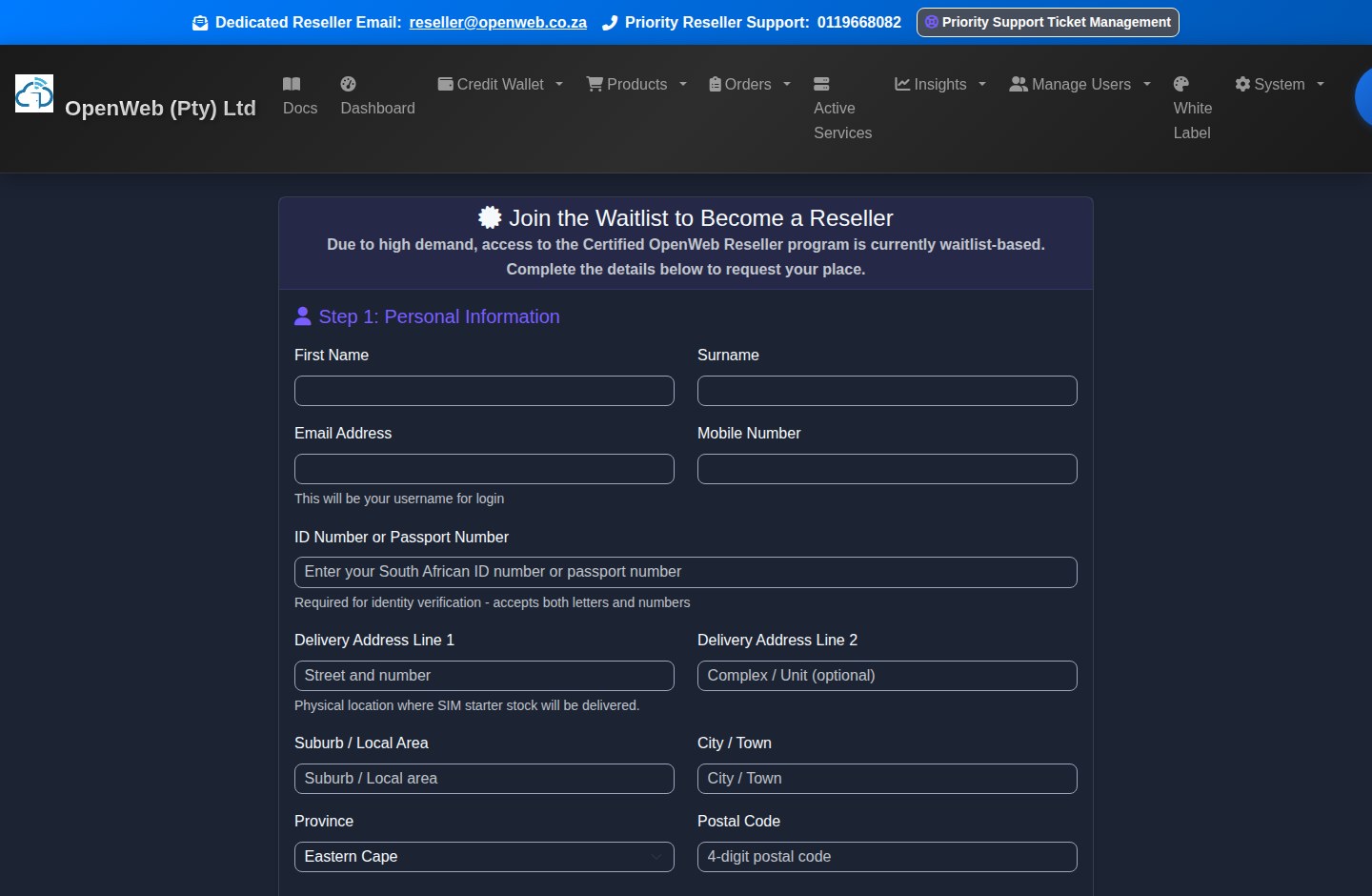
Waitlist registration and approval journey
1. Join the waitlist
Complete every registration field with a reachable email and South African mobile number. After submission the applicant lands on /welcome. Device and IP controls limit duplicate registrations.
2. Receive approval
Approved applicants receive their reseller credentials and Certified OpenWeb Reseller confirmation. Rejected applications are final and cannot simply be recreated under another email.
3. Sign policy and configure branding
On first sign-in, accept the current Refund Policy and complete the White Label Wizard. Supply company, logo, support, colour, and subdomain details before the setup deadline.
4. Fund and sell
Fund the Credit Wallet, create the enduser, choose an available product, review the exact due-today amount, and submit. Verify fulfilment in Order History and Active Services.
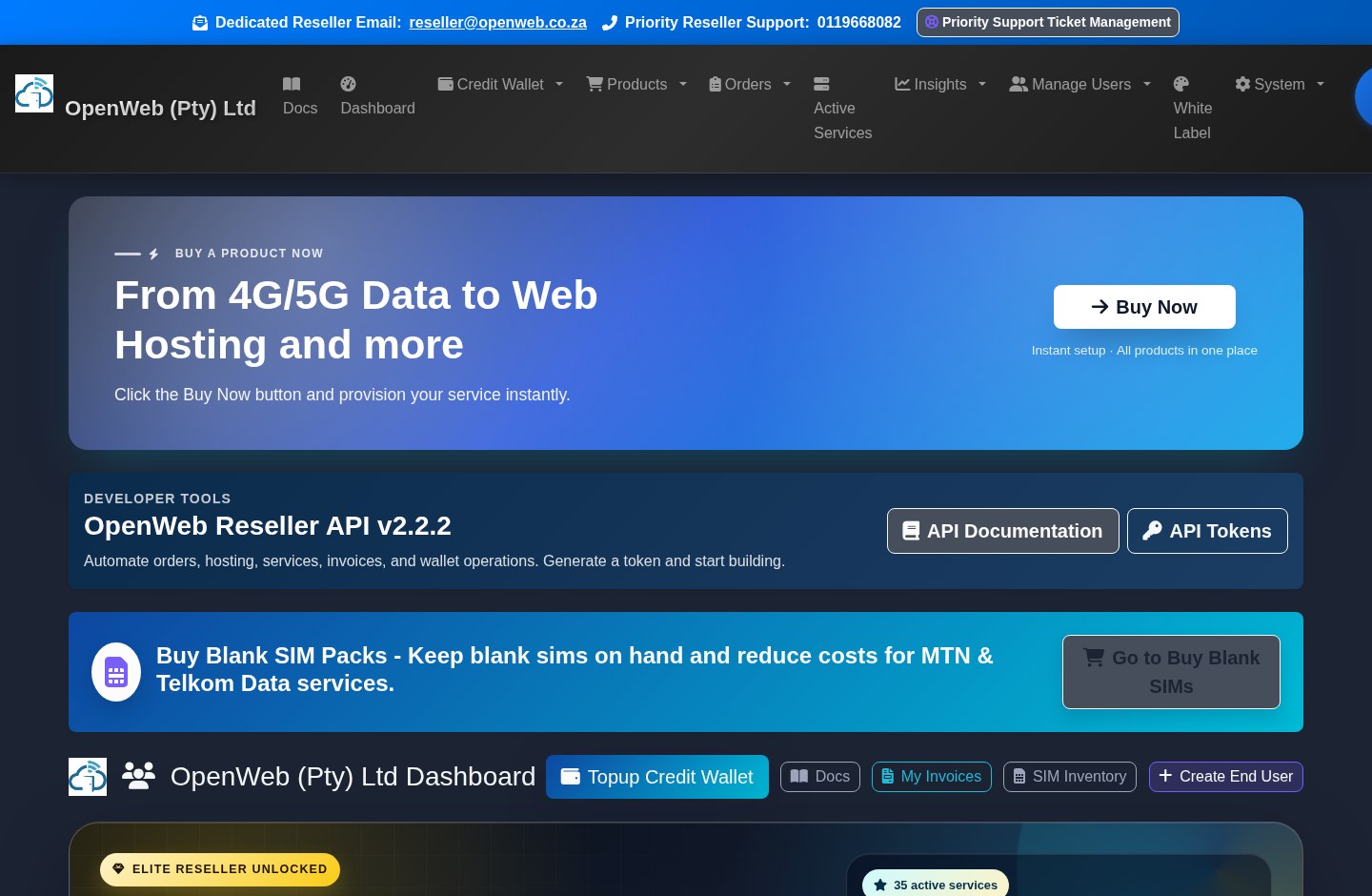
Dashboard and Reseller Status
The dashboard is a command deck, not only a summary page.
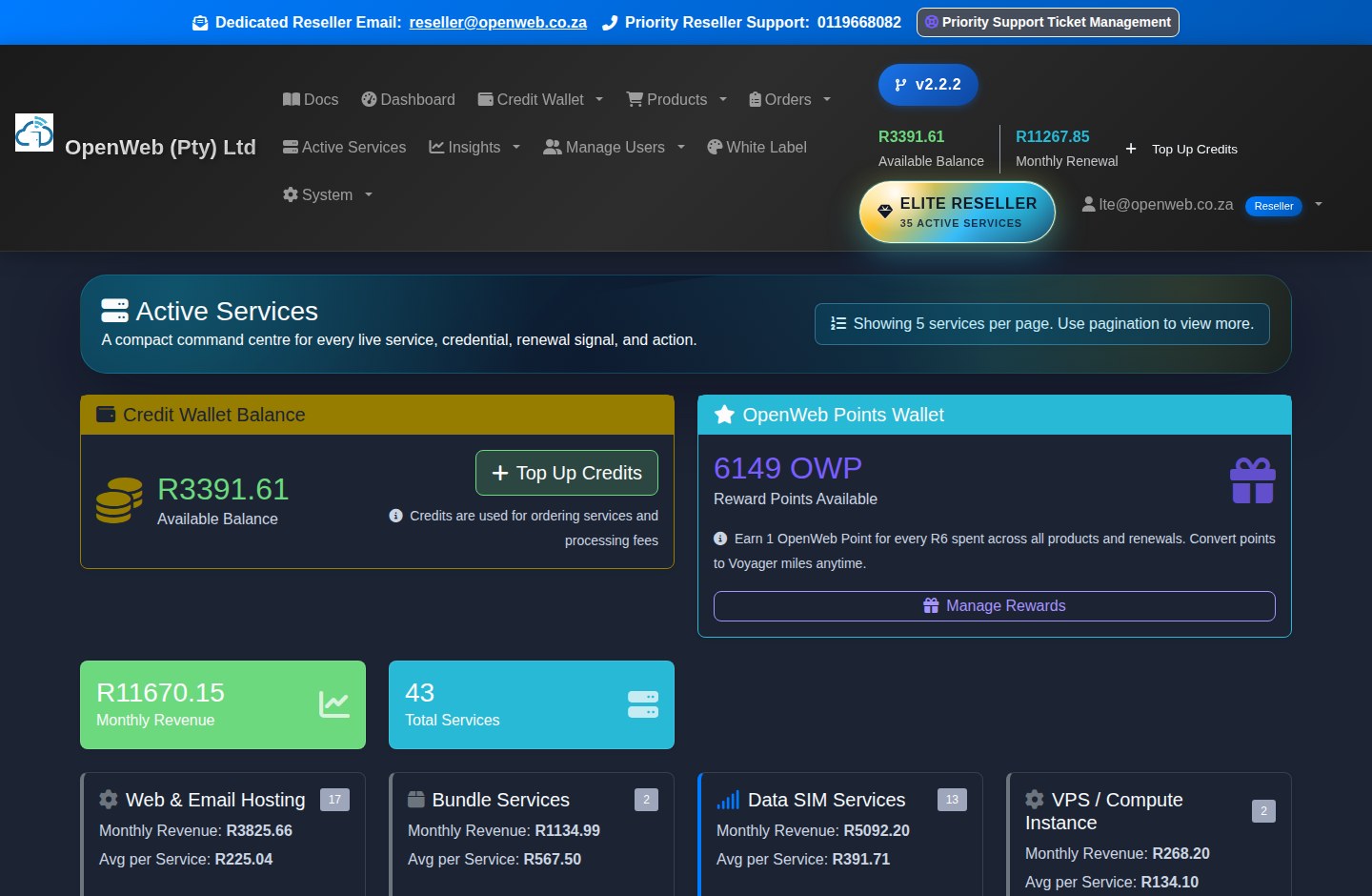
Reseller dashboard
Wallet HUD
Shows buying power, renewal target, coverage percentage, shortfall, and links to Top Up and Wallet Mission Control. Negative balances signal an account that needs recovery.
OpenWeb Points HUD
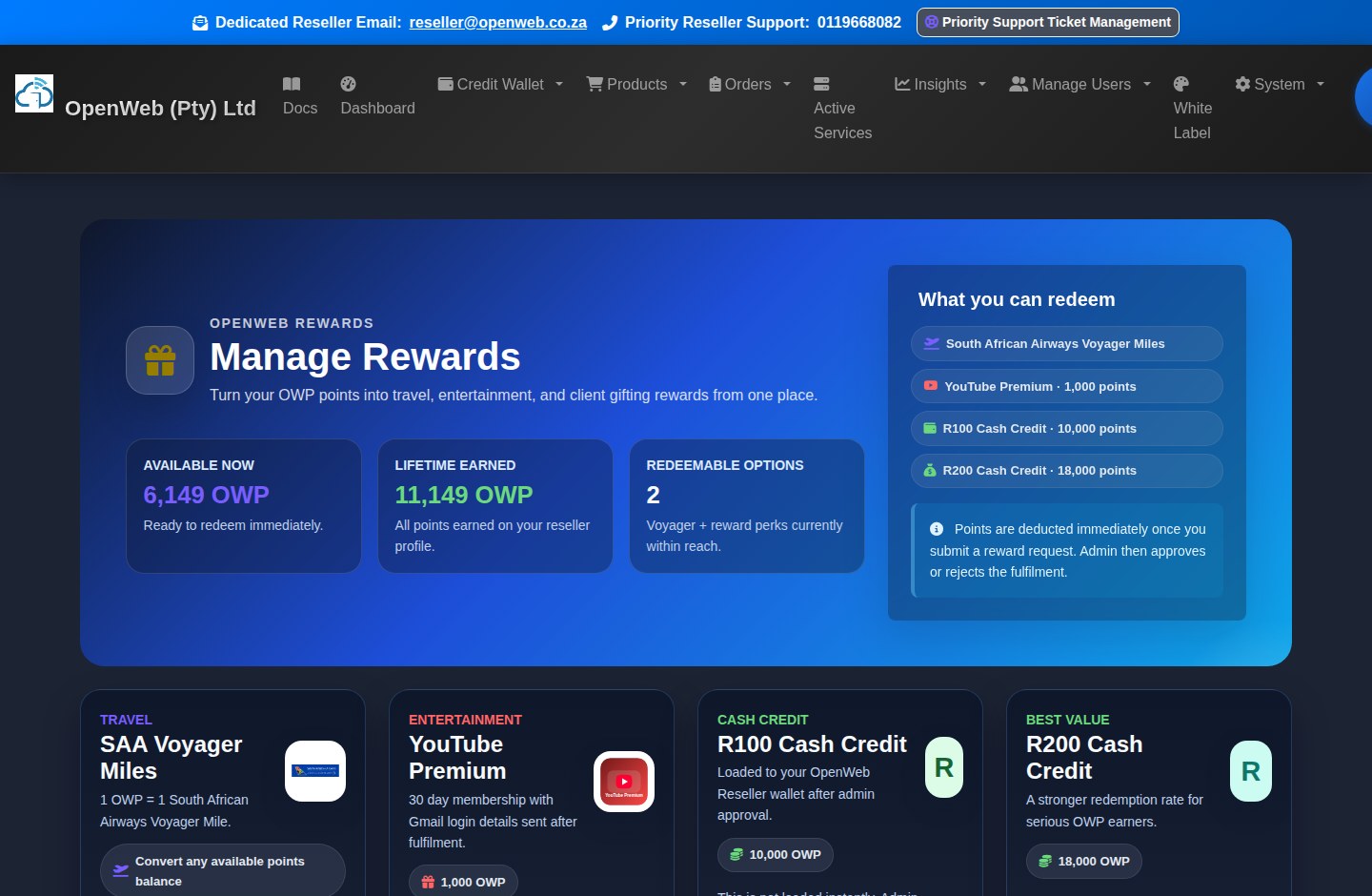
Shows available and lifetime OWP, reward rank, progress to the next reward gate, and the permanent earn rate of 1 OWP for every R6 of qualifying spend.
VIP and Elite tiers
Automatic Elite status applies at 31 or more active services with a non-negative wallet. OpenWeb Admin may also grant Elite manually. Elite presentation and offers appear only for qualifying profiles.
Operational panels
Use Wallet Balance Explanation, recent activity, business statistics, quick actions, featured products, API links, SIM prompts, and support shortcuts to start daily work.
Credit Wallet, PayFast, Smart Wallet, and Billing
The reseller platform is wallet-first. Orders and renewals use wallet funds before supported saved-card shortfall recovery.
Credit wallet and Smart Wallet
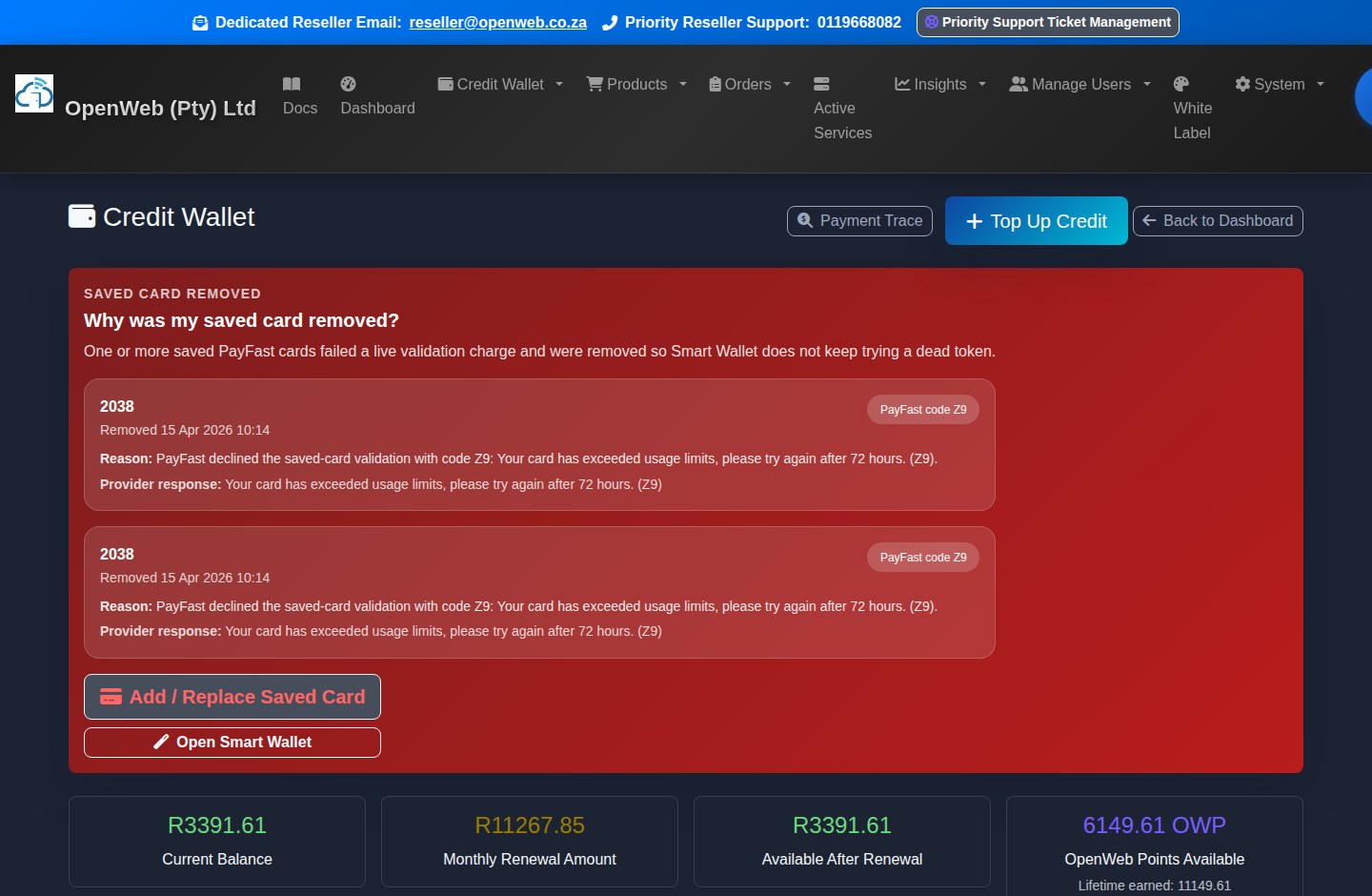
Credit Wallet
Review balance, renewal target, transaction history, recent OWP activity, payment traces, and any saved-card recovery warnings.
Credit WalletTop Up Credits
PayFast is the available card gateway. The live form displays the wallet amount, any current client fee or promotion, and whether the card should be saved.
Top UpSmart Wallet
Configure supported minimum-balance and saved-card fallback behaviour. The wallet is consumed first; only the eligible shortfall should be charged to the saved PayFast method.
Smart WalletSaved Card Audit
Inspect active PayFast methods and health status. Failed or unusable cards are not safe for automated shortfalls and may require a fresh PayFast checkout.
Saved Card AuditMonthly billing rules
- The renewal total is calculated from all active recurring services: data, fibre, voice, hosting, recurring Voyager allocations, legacy Microsoft 365, monthly cloud, annual domains when due, and active recurring add-ons.
- Blank SIM inventory has no monthly holding charge.
- Billing can deduct beyond the available wallet and create a negative balance. Services can be suspended when billing is unpaid.
- Recovery requires the wallet to return to at least R0.00. The payment recovery monitor then updates billing status and reactivation workflows.
- Use Payment Trace when PayFast reports success but the expected wallet movement is unclear. Do not repeat a card payment until the trace has been checked.
Customers, Endusers, and Panel Admins
Create and maintain the people who receive services, while preserving ownership and audit history.
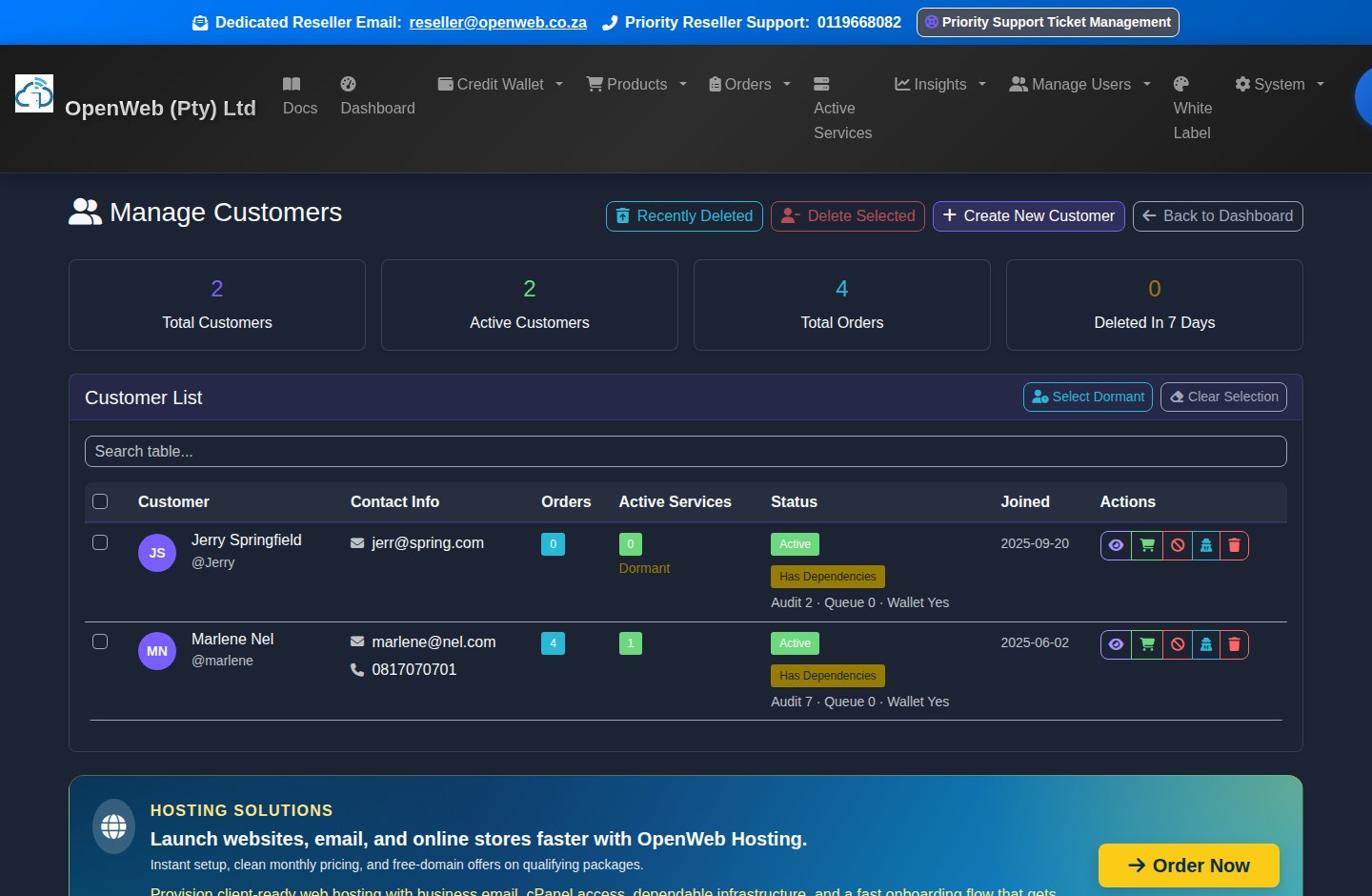
Customer management
Create New Customer
Create the client before ordering. Keep the name, email, phone, and password accurate because these drive ownership, login, and notifications.
Create CustomerManage Customers
Search the complete customer list, inspect service/order counts, update status, and simulate the enduser portal when support requires seeing the client view.
Manage CustomersDelete safely
Use the delete preview before confirmation. Deleting an enduser preserves operational continuity by returning linked services/orders to the reseller and writes a deleted-customer snapshot.
Recently DeletedPanel Admins
Delegate permitted reseller functions to staff instead of sharing the reseller owner password. Review permissions when responsibilities change.
Panel AdminsBuy New Service, Pricing, and Product Rules
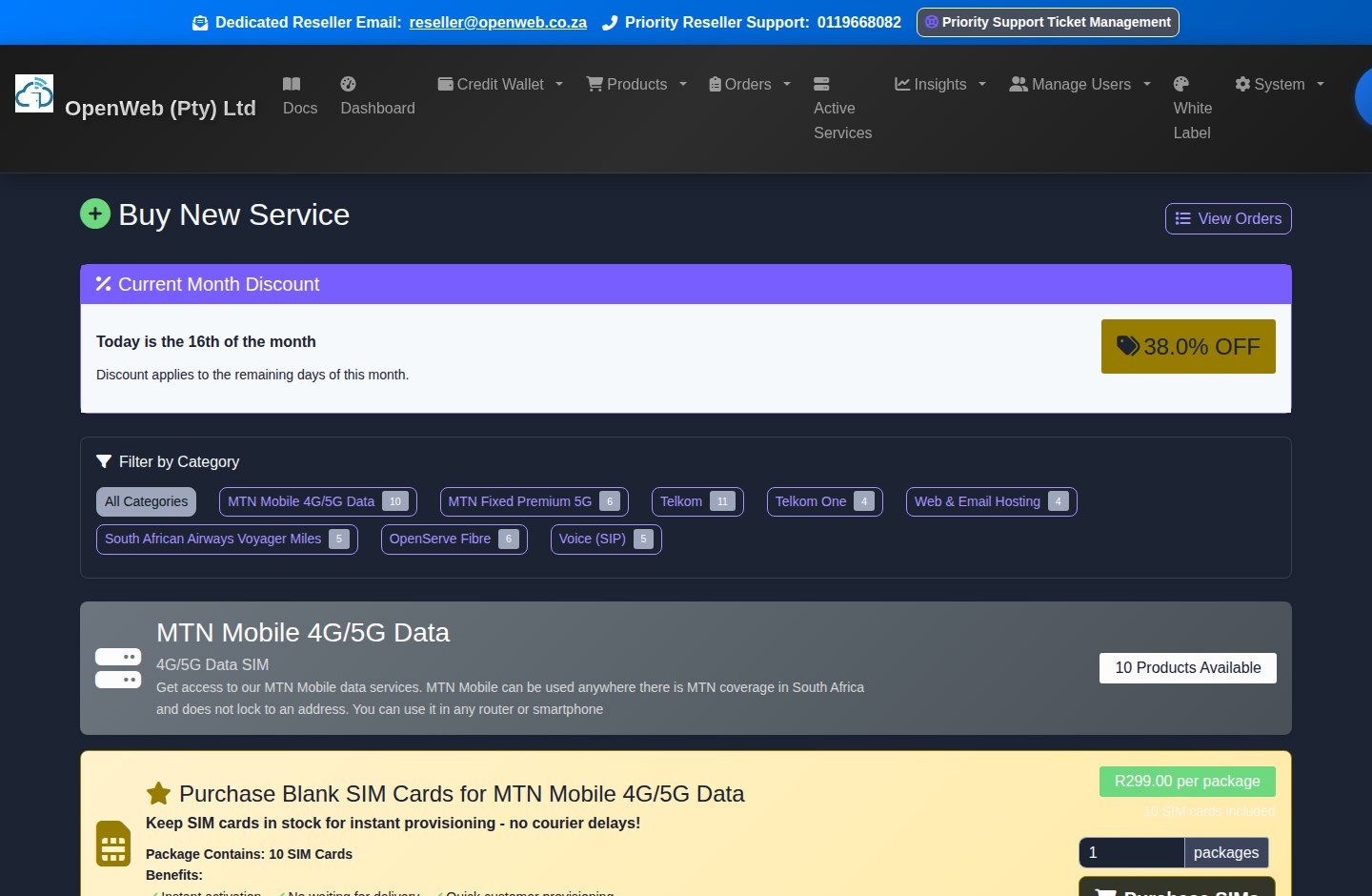
The main catalogue contains reseller-orderable services. Cloud and standalone hardware deliberately use separate guided flows.
Product catalogue and create service
MTN Mobile (GSM)
Mobile APN services use mobile.is.co.za. Choose capped or uncapped options and allocate a compatible blank MTN Mobile SIM when required.
MTN Fixed 5G
Location-locked fixed wireless uses ws.dd.fwa, an MTN Fixed-approved router, and the exact installation/location-lock acknowledgement requested at checkout.
Telkom and Telkom One
Select available standard products and a blank Telkom SIM where required. Promotional Telkom Saver products can remain hidden from normal catalogue purchase.
OpenServe Fibre
Requires the complete installation address and follows the standard pro-rata tiers shown at checkout. Fibre does not require a SIM.
Voice (SIP)
Voice services provide SIP account details after provisioning. Blank virtual SIM packs may be offered separately through SIM Inventory.
Web & Email Hosting
Hosting has its own domain search and direct provisioning journey. Qualifying packages can include domain benefits shown before final confirmation.
SAA Voyager
Voyager offerings may be once-off or recurring. Recurring allocations become part of the monthly renewal calculation.
Microsoft 365
Retired for new sales. Existing active clients retain service, but cannot upgrade or downgrade and may only schedule cancellation under normal rules.
Static IP add-on
Not currently sold for new orders. Existing provisioned Static IP services remain valid; a cloud server primary IP is still displayed in the Static IP field.
Price and checkout sequence
- Choose the category and an available, non-sold-out product.
- Review RRP, reseller discount, discounted monthly cost, product features, and current stock requirements.
- Select or create the enduser, allocate a SIM or delivery option where offered, and complete every product-specific field.
- Review the exact due-today amount. Pro-rata, hardware, courier, OWP waivers, or delivery can change that figure.
- Submit once. Use Order History to verify the request before attempting again.
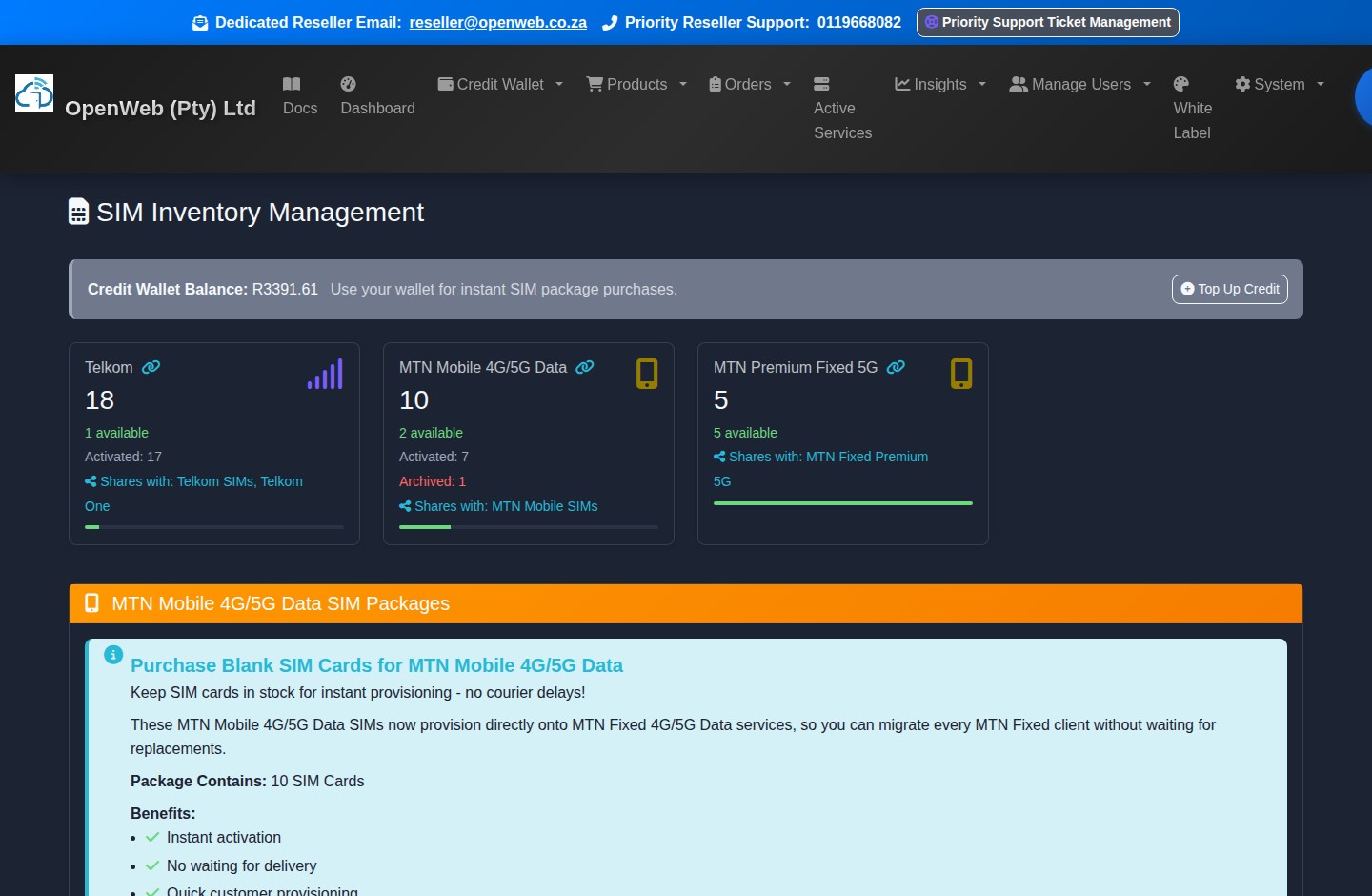
SIM Inventory and SIM-dependent Orders
Inventory is available only when a SIM is truly unused and not linked to an order or service.
SIM inventory
- Use the network-specific inventory bucket required by the product. MTN Mobile and MTN Fixed are different service types and must not be mixed.
- A SIM attached to any order or service is not reusable even if an old status still appears available.
- Blank inventory costs R0 per month to hold. Purchase prices and courier charges are once-off and shown before payment.
- Some eligible products offer OpenWeb SIM delivery instead of reseller inventory. When delivery is offered, provide the correct recipient, address, and contact number.
- SIM swaps are requested from Active Services. Current reseller fees are Telkom R129 and MTN R299, subject to the live confirmation screen.
Buy Hardware and Router Fulfilment
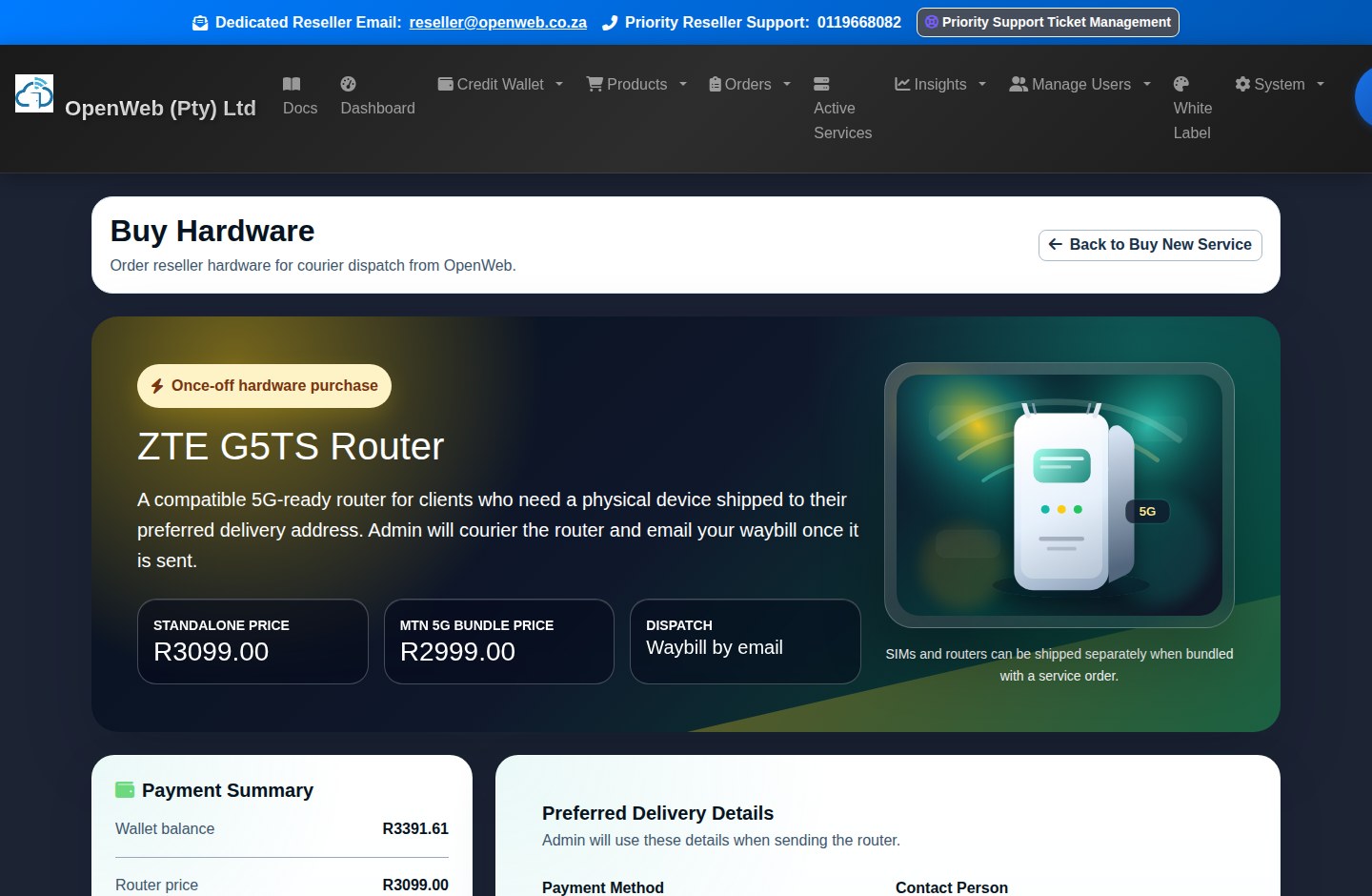
Standalone hardware is ordered separately from service catalogue products and requires delivery details.
Hardware checkout
The current hardware page offers the ZTE G5TS router at the live standalone price. A different bundled price may be presented when the router is ordered inside an eligible MTN 5G service checkout.
Payment choices
Depending on available wallet/card state, choose wallet, a new PayFast card, wallet plus a new card, saved card, or wallet first with saved-card shortfall.
Delivery data
Provide contact person, phone, province, street address, suburb/building, city, postal code, and optional courier notes.
Pending fulfilment
The paid hardware request appears in Order History while OpenWeb prepares dispatch. It is not treated as an instantly provisioned digital service.
Waybill notification
Once marked sent, the reseller receives the waybill and delivery expectation. SIMs and routers can arrive separately when different warehouses fulfil them.
Cloud Setup Wizard and Cloud Toolbox
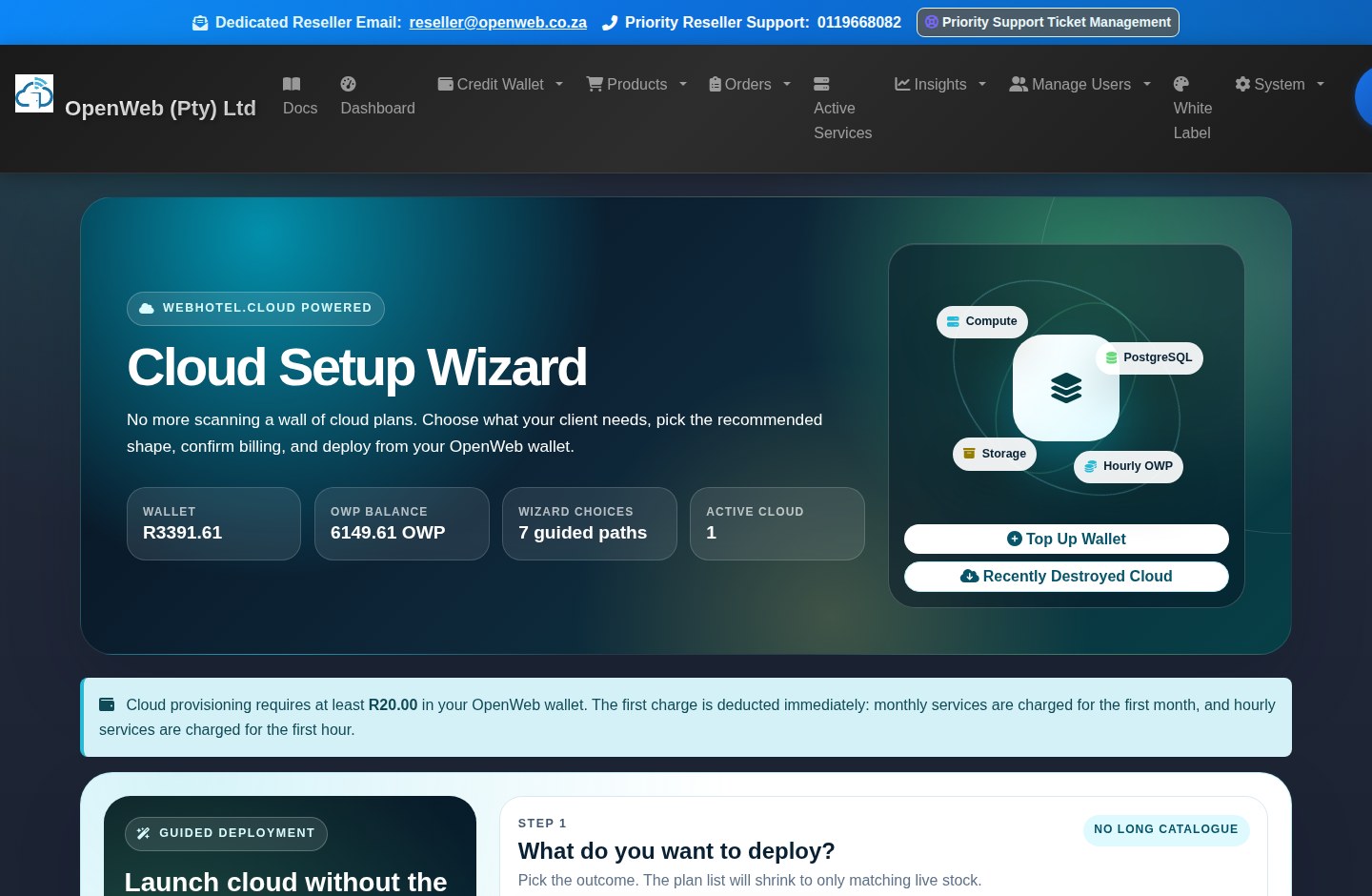
Cloud products are provisioned only through the guided Cloud Manager, never from the general product catalogue.
Cloud Setup Wizard
Deployment flow
- Open Cloud Manager and choose what you want to deploy, such as Compute, Object Storage, Storage Box, database, or another currently stocked provider service.
- Use the wizard filters and prompts to select workload, operating system/application, region, plan, and hourly or monthly billing where offered.
- Enter the required service name, Linux username, and credential choices. Review the exact first charge.
- The Credit Wallet must have at least R20 available. The first monthly or hourly deduction occurs when initialization begins.
- Keep the provisioning modal open to follow the provider event stream. Compute can take up to approximately 30 minutes.
Dynamic catalogue
WebHotel.cloud stock refreshes approximately every five minutes. Only current provider stock should be presented for new deployments.
Credentials and access
Active services show primary IP, SSH or remote access details, console access, and application GUI credentials for supported Hermes, OpenClaw, or OpenVPN workloads.
Toolbox state
Start, Stop, Restart, Console, and Destroy remain disabled while provisioning is incomplete. They become available only when provider state is active and supports the action.
Hourly rewards and logs
Hourly cloud charges and OWP amounts are written to the Cloud Manager transaction log. OWP supports two decimal places and follows the global 1 per R6 rate.
Order History, Invoices, Statements, and Cancellations
Orders preserve what was requested; financial documents preserve what was billed.
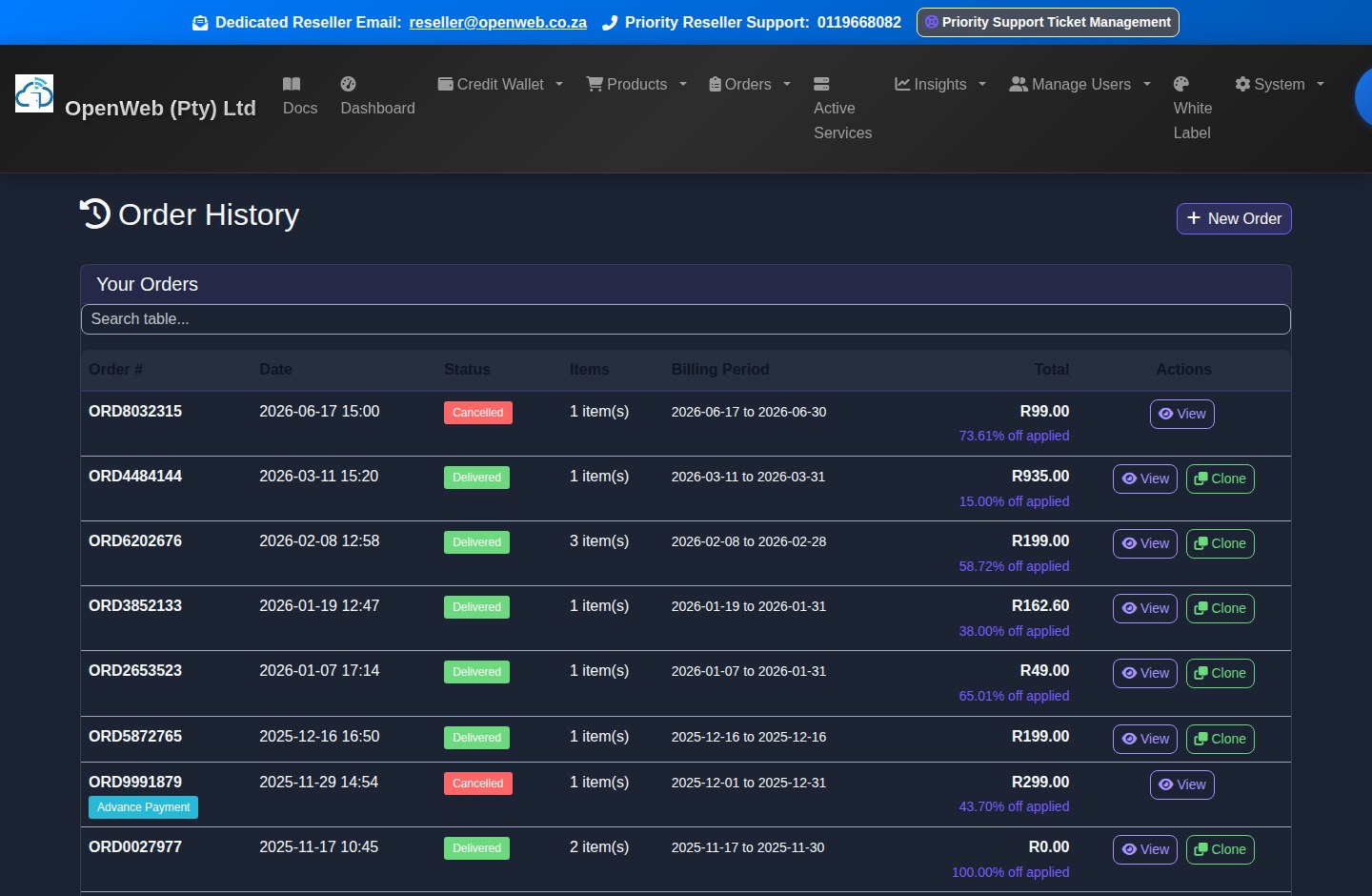
Order history
Order History
Review order number, date, status, line items, totals, payment evidence, delivery options, and product-specific data. Clone only when a genuine repeat order is intended.
OrdersInvoices
Download valid invoice documents for orders, topups, and billing records. If the stored total does not reconcile to line items, contact support instead of relying on the document.
InvoicesStatements
Use statements for period-based wallet and billing history. They are better than an individual invoice when reconciling the account over time.
StatementsPending Cancellations
Normal services follow their displayed cancellation schedule. Microsoft 365 legacy services can only cancel under the normal future-effective rule; Cloud has separate immediate-destroy behaviour.
Pending CancellationsActive Services Command Centre
The redesigned view searches and filters the reseller's complete service set, not only the cards already visible on screen.
Active services management
Find and organise services
- Search across all services by service ID, product, customer, username, SIM, MSISDN, domain, provider identifier, or IP address. Search is server-backed and remains effective beyond the current page.
- Use All, Cloud, MTN, Telkom, Hosting, and Rewards filters to request that family from the full service dataset.
- Use Problem Services Only for pending, suspended, failed-sync, missing-credential, or otherwise attention-worthy records.
- Compact mode reduces card height. CSV and PDF export the currently visible result set. The sticky count/filter bar and scroll hints preserve context.
Service actions and data
| Service family | Displayed information | Available actions |
|---|---|---|
| MTN/Telkom data | Product, monthly cost, SIM/MSISDN, account username, usage/session context, IP where available, status, and active topups. | Usage refresh, eligible topup, SIM swap, scheduled package change, cancellation, and export. |
| Fibre/Voice | Package, account identifiers, installation/SIP details, monthly amount, and status. | Eligible package change, cancellation, service detail export, and support evidence. |
| Hosting/Domain | Domain, cPanel server badge, masked password, nameservers, DNS health, SSL readiness, and domain renewal state. | cPanel SSO, reveal credentials, nameserver changes, DNS checks, domain renewal, welcome details, plan change, or cancellation where eligible. |
| Cloud | Provider presentation, service state, monthly or hourly amount, primary IP in Static IP, SSH/application credentials, GUI URLs, and provider metadata. | Start, Stop, Restart, Console, Destroy, status refresh, and drill-down modal after active state. |
| Rewards/Voyager | Reward period, allocation or redemption details, recurring amount where applicable, and status. | View fulfilment and manage relevant reward/Voyager workflow. |
Network topups
MTN time-based FUP lifts and Telkom day-based FUP lifts require admin processing. Data-volume topups remain visible for their validity period. Active topups display in red; expired/used entries remain temporarily for history and then fall off automatically.
Active ServicesHosting, cPanel, Domains, and DNS
Hosting provisions directly through WHM-backed servers and is then monitored for server and DNS changes.
Domain search and checkout
Choose a hosting product, search the domain, review registration/free-domain eligibility and payable extras, then confirm. Avoid repeating checkout while asynchronous search or provisioning is still running.
cPanel access
Login to cPanel opens a separate window. The destination is based on the hosting service's current WHM server and is refreshed by the hosting sync.
Daily provider sync
At least once every 24 hours, the system checks cPanel server placement, nameservers, contact context, cPanel URL, and warnings. Server badges show the current stored host.
DNS health
Use nameserver, A, MX, SSL readiness, provider-vs-local comparison, propagation checks, and change history before escalating a DNS issue.
Nameserver updates
Submit provider-valid nameservers. Personal nameservers may require glue/host records at Spaceship before the provider accepts the change. Pending provider confirmation remains visible until read-back agrees.
Annual domain renewal
A red Renew Domain Now action appears in the renewal window. If not renewed manually, the annual price can join the monthly renewal calculation when due; domains are billed yearly, not monthly.
White Label Settings, Wizard, and Accreditation
White-label settings control how the reseller business and support identity appear to endusers.
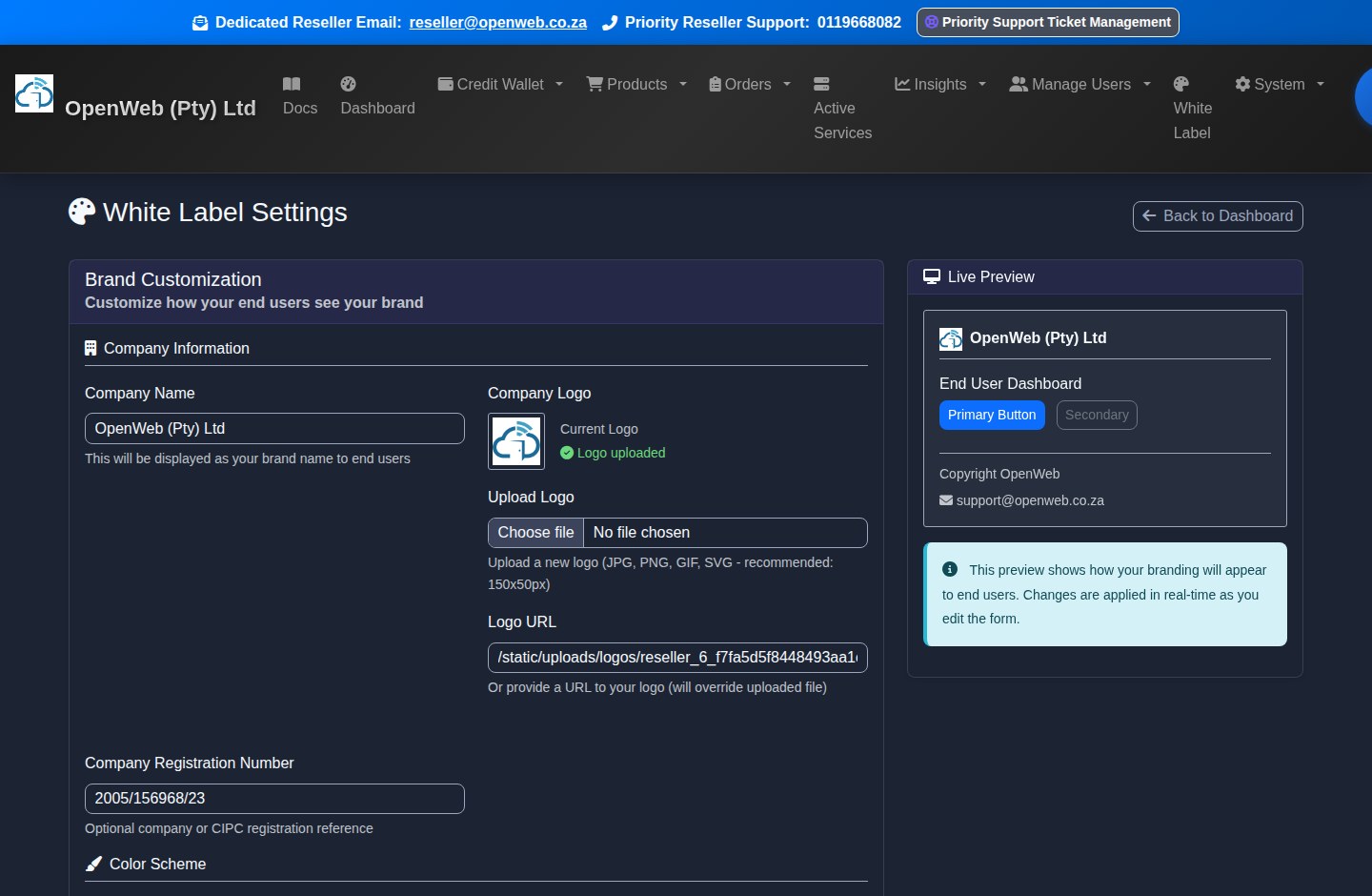
White Label Settings
Company identity
Maintain company name, description, website, logo, primary colour, support email, support phone, and supported external support links.
Wizard enforcement
The Wizard guides company, branding, subdomain, and opening-deposit steps. Until completed, a setup-required menu item appears and overdue profiles can be restricted to setup and wallet routes.
fastinternet.cc subdomain
Choose an available reseller subdomain for the branded enduser panel. DNS and SSL are handled by the platform infrastructure; use the exact configured host for enduser access.
Accreditation
Approved resellers can access their OpenWeb Reseller Accreditation from Orders and use it as proof of Certified OpenWeb Reseller status.
AccreditationWhite-label Enduser Portal
The enduser portal is deliberately smaller than the reseller dashboard and never exposes reseller finance or admin functions.
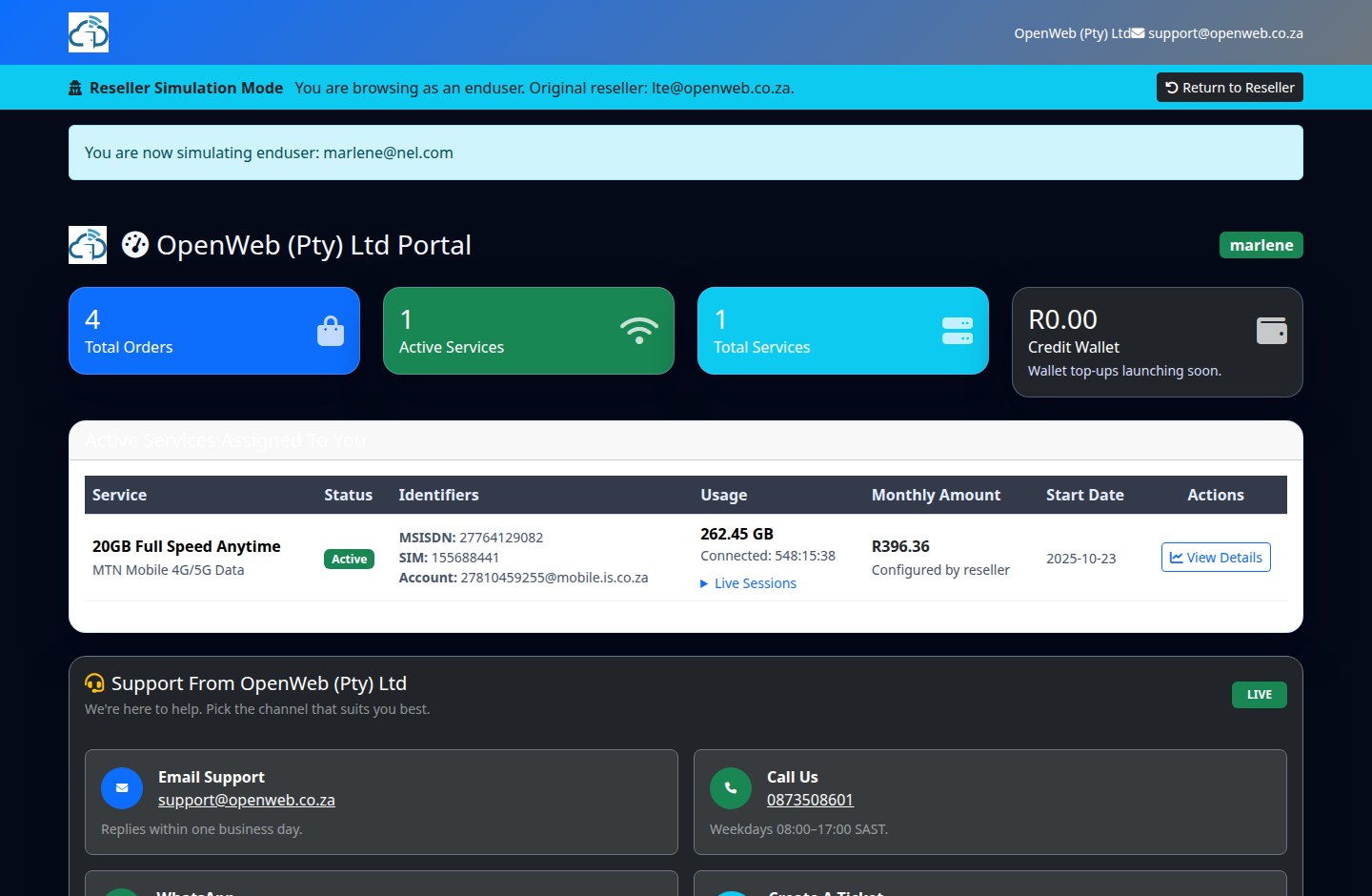
Enduser dashboard
- The reseller creates the enduser and links services through ordering or customer management.
- The enduser signs in through the reseller's branded panel and sees the reseller company, colours, support details, and relevant services.
- Service cards can show status, identifiers, monthly amount, next billing context, usage where supported, and client-safe actions.
- Reseller staff can use Simulate Enduser from Manage Customers to reproduce the client view, then must return to the reseller session when finished.
- Endusers do not see the reseller Credit Wallet, OWP wallet, reseller price list, margin data, API tokens, or reseller-wide customer records.
OpenWeb Points, Rewards, Voyager, and Campaigns
The permanent OWP rate is 1 point for each R6 of qualifying spend. Cloud hourly awards can include two decimals.
Rewards and Voyager wallet
OWP Wallet
Review available balance, lifetime earnings, and the point transaction ledger. Qualifying new products, renewals, and cloud transactions follow the global earn rule.
OWP WalletYouTube Premium
Redeem 1,000 OWP for the current reward. Admin fulfils the request and provides the Gmail/YouTube access details. The reward remains visible on Active Services for its defined period.
Cash credits
R100 wallet credit costs 10,000 OWP; R200 costs 18,000 OWP. These are not instant: points are reserved, Admin approves or rejects, approved credit enters the wallet, and rejected requests refund the OWP.
SAA Voyager
Use the Voyager wallet for eligible conversion/purchase flows. Recurring monthly Voyager services join monthly renewal billing; once-off activity does not.
VoyagerSpin the Wheel
The wheel appears only during an active campaign and only for its configured audience, such as positive-wallet or Elite resellers. Prize odds and deadline appear in the campaign itself.
OWP waivers
Selected order flows can offer point-based pro-rata or renewal benefits. Treat the live checkout requirement as authoritative because these benefits are product- and campaign-specific.
Insights, Communications, and Growth Tools
Use these tools to understand profitability, prevent renewal failure, standardise onboarding, and verify reseller-side conversion events.
Insights suite
| Tool | What it shows | Recommended use |
|---|---|---|
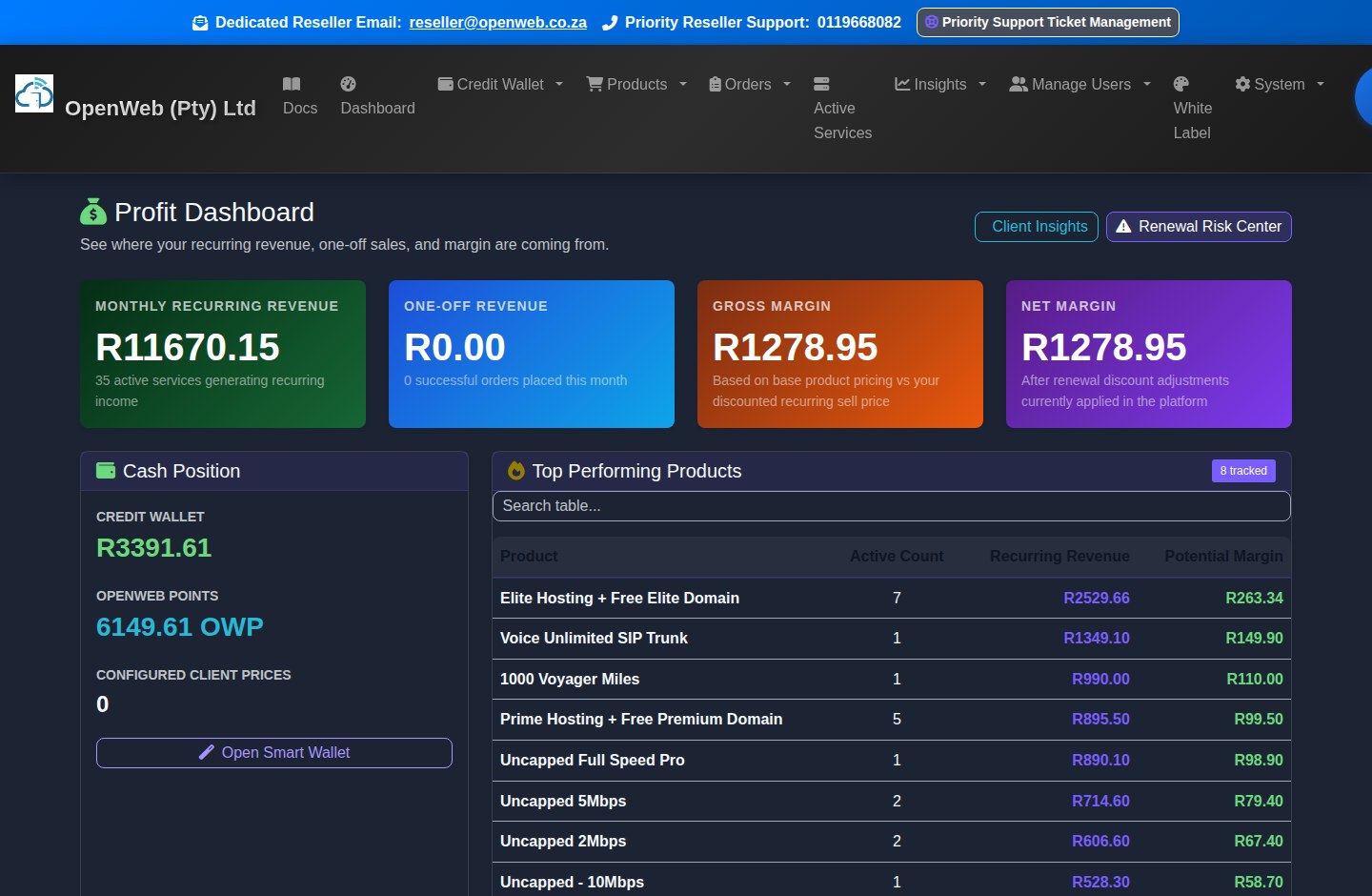
| Profit Dashboard | Cash position, sales, wallet, monthly renewal, OWP, and top-performing products. | Review margins and sales focus. |
| Renewal Risk Center | Wallet/service conditions likely to cause billing or continuity problems. | Work the list before billing deadlines. |
| Client Insights | Customer-level profile, retention, service, and commercial context. | Plan retention and upsell activity. |
| Service Health | Operational service health and exception signals. | Investigate problems before opening support tickets. |
| Communications Hub | Queued/sent email, WhatsApp, or SMS records available to the reseller. | Confirm delivery history and use permitted resend actions. |
| Onboarding Packs | Client-ready service details and PDF/email onboarding material. | Send after provisioning and verify credentials first. |
| Conversion Audit | Reseller-visible Meta/Google conversion event evidence. | Check tracking quality without exposing admin diagnostics. |
Reseller API Integration and Tokens
API access is scoped to reseller operations. It does not grant Admin panel access.
API tokens and API docs
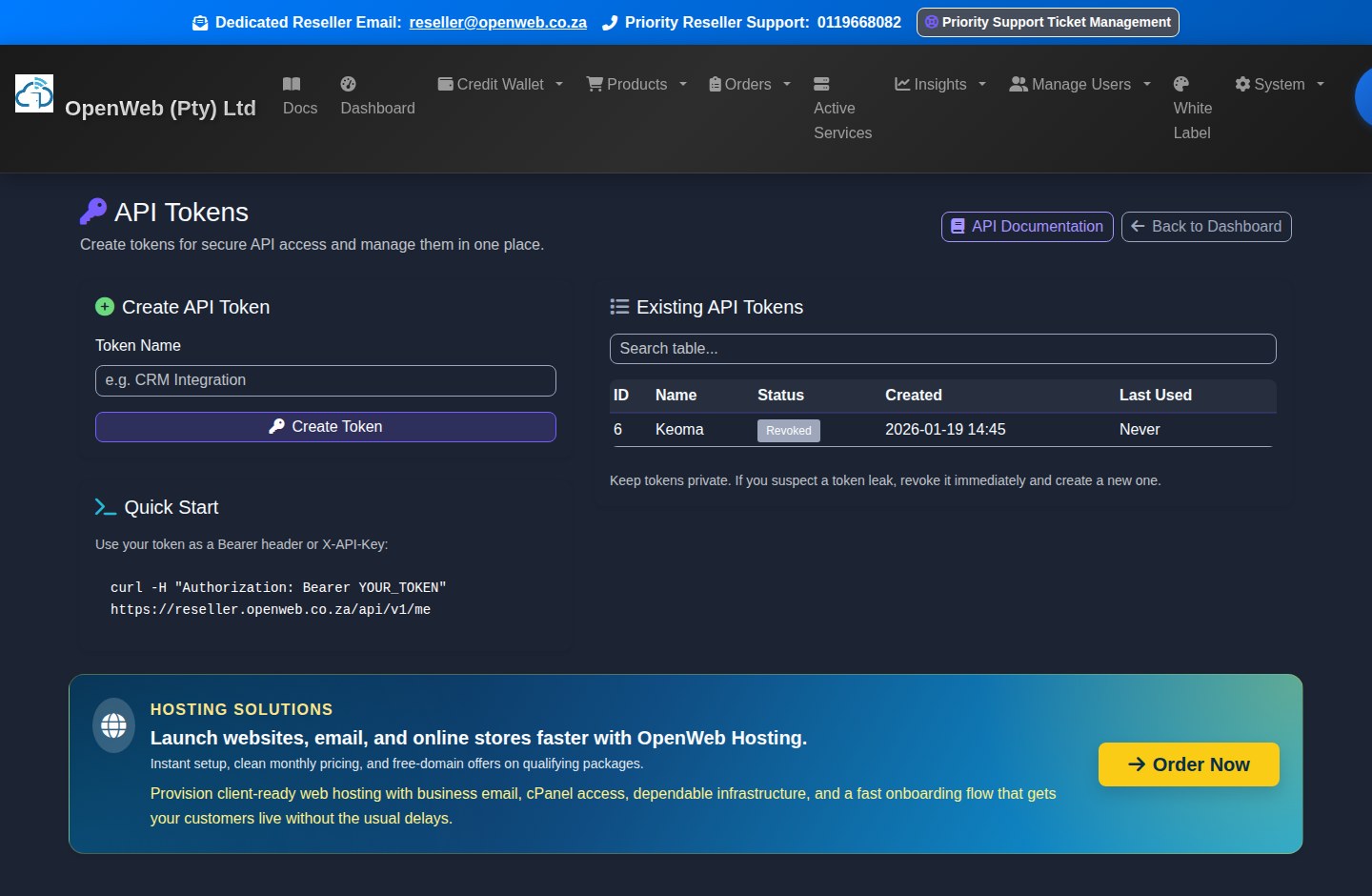
- Create a named token only for a known integration and copy it at creation time.
- Authenticate exactly as described by the API documentation. Never place tokens in browser JavaScript, public repositories, screenshots, or support messages.
- Use reseller endpoints for permitted customer, service, hosting, invoice, and wallet automation. The API enforces ownership and role boundaries.
- Revoke a token immediately if it is exposed, retired, or no longer owned by an active integration.
- Review last-used and token status information before deciding whether an integration is still active.
Priority Support, Training, Legal Documents, and Troubleshooting
Gather evidence first, then use the right support route.
Support and legal centre
Priority Support Ticket Management
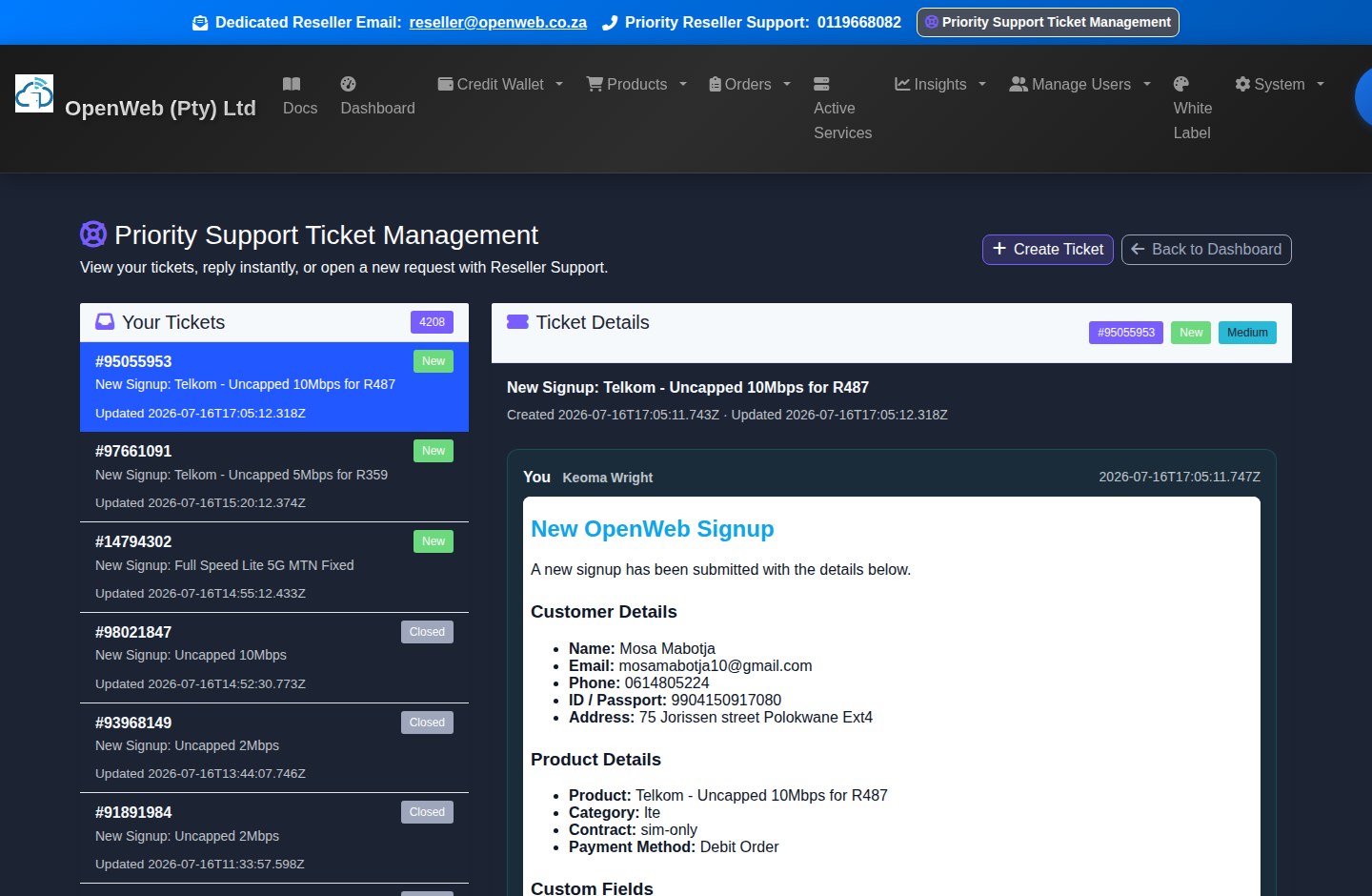
Create and follow tickets in the panel. Include service ID, order number, provider/account identifier, exact error, timestamp, and a screenshot without passwords.
Priority SupportVideo Training Guides
Use the reseller training library for available visual walkthroughs. The written `/docs` guide remains the primary current reference.
VideosLegal Documents
Review the current Refund Policy, signature status, historical acknowledgements, and downloadable agreement. An unsigned or outdated policy can block most reseller routes.
Legal DocumentsProfile and security
Keep reseller contact data current, use a unique password, do not share owner credentials, and use Panel Admin accounts for staff.
Fast troubleshooting checklist
- Order blocked: verify wallet, product stock, customer, SIM mapping, address, signatures/disclaimers, and every required field.
- PayFast discrepancy: open Payment Trace and inspect the transaction before retrying.
- Service missing: clear Active Services search/family/problem filters and search the full service ID or username.
- Cloud still provisioning: inspect the live event stream and provider state; wait for active before using Toolbox actions.
- Cloud console blank: refresh service state, confirm the instance is active, then retry the provider-specific Console action.
- Hosting/DNS issue: compare provider and local nameservers, run DNS health/propagation checks, and inspect pending confirmation or glue warnings.
- Usage missing: confirm the product supports provider usage/session lookup and use an explicit refresh rather than repeated searching.
- Enduser view wrong: verify white-label settings, the enduser's reseller ownership, assigned services, and the intended fastinternet.cc host.
Glossary and Non-negotiable Operating Rules
Terms that reseller owners and staff should use consistently.
| Term | Meaning | Operational rule |
|---|---|---|
| Reseller | The Certified OpenWeb business profile selling services to endusers. | Keep wallet, customer, company, and support details accurate. |
| Enduser | The reseller's customer and service recipient. | Endusers use the branded portal and never receive reseller financial/API access. |
| Credit Wallet | Prepaid reseller balance used for orders and billing. | Billing may take it negative; recovery requires at least R0.00. |
| Renewal Amount | Calculated recurring amount for all active billable services. | Use the current sync/billing result, not an old screenshot. |
| Pro-rata | Partial-period amount due now. | The live checkout calculation is authoritative. |
| Blank SIM | Unassigned network inventory. | Must not be linked to an order/service and has R0 monthly holding cost. |
| MTN Mobile | GSM/mobile data service. | Uses mobile.is.co.za and is not an MTN Fixed SIM service. |
| MTN Fixed 5G | Location-locked fixed-wireless service. | Uses ws.dd.fwa and requires approved fixed hardware/location compliance. |
| Active Service | A provisioned or managed service record. | Active recurring services join renewal calculations. |
| Cloud Destroy | Immediate provider deletion. | Irreversible, all data lost, and no monthly-plan refund. |
| Static IP | Dedicated service IP or cloud primary IP field. | New static-IP add-on sales are unavailable; existing assignments remain. |
| OWP | OpenWeb Points rewards currency. | Permanent base rate is 1 per R6 qualifying spend; redemptions have their own requirements. |
| White Label | Reseller-branded enduser experience. | Keep branding, support, and subdomain details current. |
| Pending Order | A request awaiting payment, review, or fulfilment. | Do not duplicate it without checking Order History first. |